 Tally
Tally
Fix a misread in seconds.
If Tally reads a number wrong, just correct it. It re-checks the receipt right away.
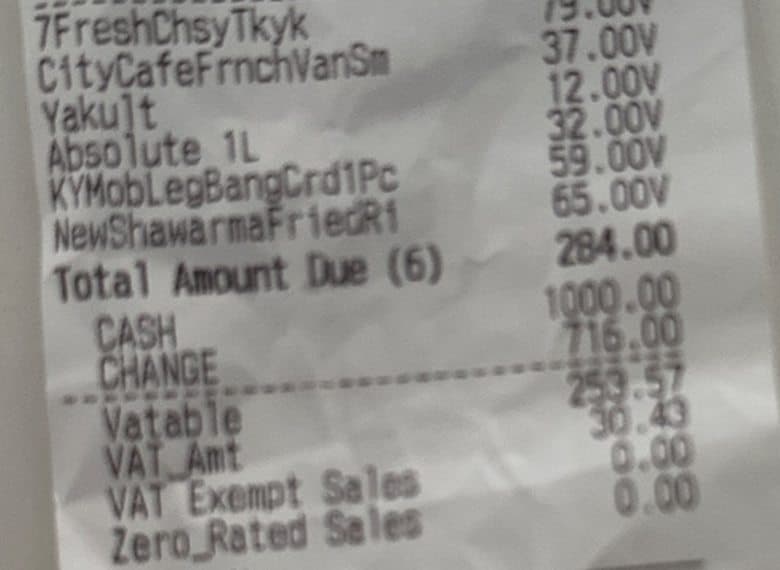
- VATable sales
- ₱258.57₱253.57
- You fixed it. Tally keeps the original too.
- VAT check
- 253.57 × 12% = 30.43
- Re-checked: all good
Snap your receipts with your phone. Tally checks each one and shows you what needs a second look. Nothing leaves your laptop.
Available for Mac and Windows.
Your receipts and tax data never leave your laptop. The internet is needed once, to set up; after that, Tally works offline. Your phone sends photos straight to your laptop over your office Wi-Fi.
Only you can see it. Nobody else owns or holds a copy.
Kept on your laptop
Receipts, reports and answers are saved on your computer, and nowhere else.
Nobody else can see it
Tally's makers have no copy and no way to look at your files.
Take it anytime
Export to Excel or CSV whenever you like. The files are yours.
A happy Filipino accountant snapping a receipt with her phone, laptop open, work done early
public/images/accountant-receipts.jpgFrom an accountant who handles liquidations for Philippine companies.
01Scan
Store visits, April
Scan with your phone to add receipts to this Liquidation.
02Read
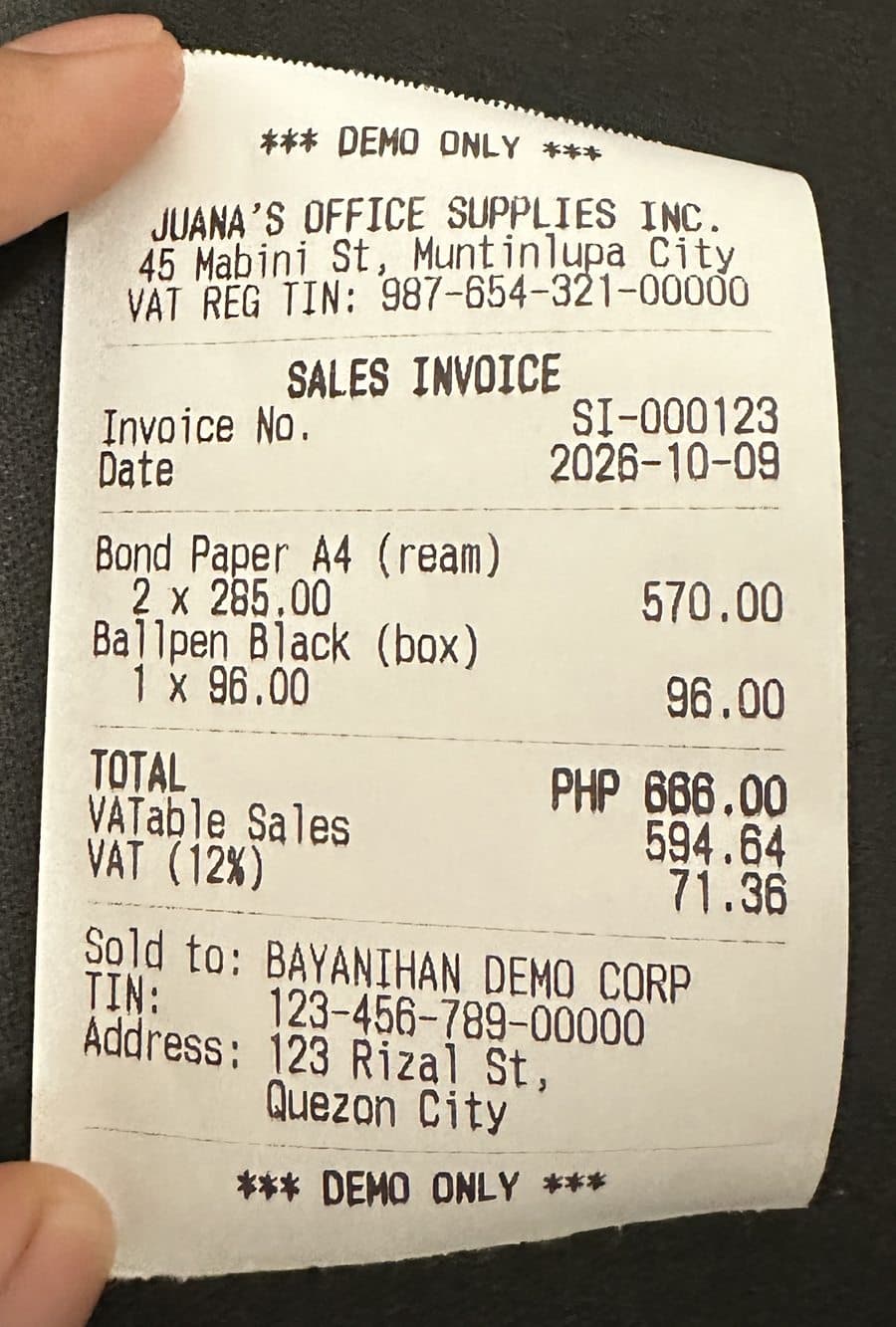
Juana's Office Supplies Inc.
Sales Invoice SI-000123
About 15 seconds per receipt.
03Check
Restaurant, Cebu City
Official Receipt · ₱3,113.00
Disallowed Amount ₱3,113.00
04Approve
Scan the QR code on your laptop with your phone, then take a photo of each receipt. You can upload files too.
Store visits, April
Scan with your phone to add receipts to this Liquidation.
Sample data: Bayanihan Demo Corp is a fictional Company.
Tally knows the latest BIR rules, including the EOPT change: Official Receipts no longer count for input VAT.
Spots Official Receipts and receipts that can't be used to claim input VAT.
Makes sure the receipt is under your company: on every receipt, or only from ₱1,000 up.
Checks that the seller's TIN is printed and written correctly.
Checks the VAT is exactly 12% and the totals match. If they don't, the receipt is flagged.
Catches the same receipt submitted twice, even in another liquidation.
Flags receipts dated outside the cash advance period.
Tally only rejects a receipt for what's printed on it. If it can't read something clearly, it asks you.
Reason
The TIN is printed on the back. Checked against the paper copy.
Sample data: Bayanihan Demo Corp is a fictional Company.
Tally reads your receipts, and it also talks with you. Ask about your Liquidations in plain words and get an answer in seconds.
Type a question the way you'd ask a colleague. No reports to build.
Never a guess. Every answer shows how it was worked out.
It runs on your laptop. Your questions never leave it.
Who still needs to return money?
Two employees still need to return money.
| Employee | Liquidation | To return |
|---|---|---|
| Juan | Store visits, April | ₱484.05 |
| Maria | Pharmacy run, September | ₱1,215.50 |
How I got this: each cash advance minus what was validly spent, from your own records.
Sample data: Bayanihan Demo Corp is a fictional Company.
Every receipt in one sheet: what counts, what doesn't, and how much the employee needs to return.
| A | B | C | D | |
|---|---|---|---|---|
| 1 | Seller | Total | Valid Spend | Disallowed |
| 2 | Juana's Office Supplies Inc. | ₱666.00 | ₱666.00 | ₱0.00 |
| 3 | BF Sinangag Express Food Corp | ₱355.00 | ₱355.00 | ₱0.00 |
| 4 | Primera Clase Gas Station Inc | ₱282.95 | ₱282.95 | ₱0.00 |
| 5 | Mouthfeel Company | ₱260.00 | ₱260.00 | ₱0.00 |
| 6 | PerPet Pilipinas Corp | ₱284.00 | ₱0.00 | ₱284.00 |
| 7 | Goldilocks Bakeshop | ₱952.00 | ₱952.00 | ₱0.00 |
| 8 | Totals | ₱2,799.95 | ₱2,515.95 | ₱284.00 |
Cash advance ₱3,000.00 minus what was spent ₱2,515.95 = ₱484.05 to return
Your purchases, already laid out for the SLSP: the purchases report you file with the BIR every quarter. No retyping.
purchases-april-2026.csv
| Supplier | TIN | Paid | Input VAT |
|---|---|---|---|
| Juana's Office Supplies | 987-654-321 | ₱666.00 | ₱71.36 |
| BF Sinangag Express | 240-727-673 | ₱355.00 | ₱38.04 |
| Primera Clase Gas Station | 007-851-409 | ₱282.95 | ₱30.32 |
Sample data: Bayanihan Demo Corp is a fictional Company.
A Mac with Apple Silicon (M1 or newer) or a 64-bit Windows 11 PC, with 8 GB of memory.
On the same Wi-Fi as your computer.
Only to set up. After that, it works offline.
Your receipts and tax data never leave your laptop. The internet is needed once, to set up; after that, Tally works offline. Your phone sends photos straight to your laptop over your office Wi-Fi.
Only you. Your receipts and reports stay on your laptop, and Tally's makers have no copy and no way to look at them.
Yes, once set up. The internet is needed only once, for the download.
Just correct it and Tally checks the receipt again. If a VAT amount doesn't add up, the receipt is always flagged, so a misread never slips through quietly.
No. The AI only reads the receipt. Fixed BIR rules do the checking, and you make the final call.
Yes. Dismiss it and write a short reason. It stays on record as dismissed.
A Mac with Apple Silicon (M1 or newer) on macOS 14 Sonoma or newer, or a 64-bit Windows 11 PC. Either needs 8 GB of memory. Download the app for yours from the button at the top.
Tally is free while it's in its pilot.